Have questions?

We’ve Got Answers, Helping You Shop Smarter!

Orders & Purchases

After your order has been shipped, we’ll send you a tracking link via email based on the delivery option you chose at checkout.

Use this link to track your order’s progress. You can also receive important updates through notifications—just be sure you’ve enabled them.

Accidentally entered the wrong address or changed your mind after checkout? Don’t worry—it happens! As long as your order hasn’t been processed or shipped, you can still make changes.

To update your order, start by pulling it up. If you placed your order while logged in, sign in and select Your Account from the drop-down menu under your username. On the Account page, click Orders in the left-hand menu, then locate the order you’d like to update from your Order History.

We understand that canceling an order is never ideal, but sometimes it’s the best option to save you time and money. If your order is canceled, rest assured—you won’t be charged. You can also learn more about authorization holds. Some common reasons an order may be canceled include:
  • Limited stock availability
  • Item being out of stock
  • Pricing or listing errors
  • Additional details required by our Credit and Fraud Prevention team
  • Shipping method or carrier unavailable
  • Use of an outdated browser or app version
If any part of your order is canceled, or if we need further details to complete it, we’ll notify you by email.

We’re sorry if part of your order is missing. Sometimes items ship separately, so your order may arrive in more than one package. Please check your email for multiple tracking numbers.

If all packages have been delivered and something is still missing, reach out to our Help Center with your order details—we’ll be happy to help resolve it quickly.

If something isn’t right with your order, don’t worry—we’re here to help. Whether you received the wrong item, something arrived damaged, or there’s another issue, simply contact our Help Center with your order details.

We’ll review the problem and work with you to make it right as quickly as possible, whether that means sending a replacement, issuing a refund, or finding another solution.

Account

If you’ve forgotten your password or want to create a new one, simply click the Forgot Password link on the login page. Follow the instructions to reset it—this usually involves answering a security question or clicking a password reset link sent to your email.

Once completed, you can set up a new password and regain access to your account.

To change your password, log in to your account and go to Account Settings. Select Change Password, then follow the prompts to enter your current password and create a new one.

For your security, we recommend choosing a strong password that you don’t use anywhere else.

To keep our platform secure and up to date, accounts that remain inactive for 90 days will be automatically deleted. Inactive accounts are those that have not been logged into or used during that time.

Before deletion, we’ll send reminder emails to give you a chance to log in and keep your account active. Once deleted, your account information, saved preferences, and order history cannot be recovered, and you’ll need to create a new account if you wish to use our services again.

To avoid losing access, simply log in at least once within the 90-day period.

Returns & Refunds

Once you’ve submitted your return, please allow 3–5 business days for us to process it. During this time, our team carefully inspects the returned items to ensure they meet our return policy requirements.

After your return has been approved, we’ll initiate your refund. The exact time it takes for the funds to appear in your account may vary depending on your bank or payment provider, but in most cases, it should show up within a few additional business days.

We’ll also send you an email notification once your refund has been processed, so you’ll always know the status.
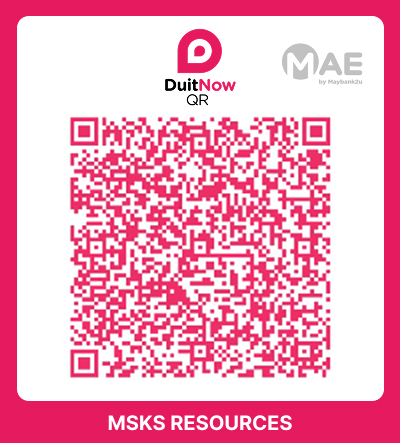
If you’d like to return an order, please reach out to our Help Center. Our team will guide you through the return process and provide all the details you need, including instructions and any return labels if applicable.

We’re here to make this process as smooth and hassle-free as possible, so don’t hesitate to contact us for assistance.

Shipping & Tracking

You can enjoy free shipping when your order meets the minimum spend requirement. Here’s how it works:

  • Add items to your cart until you reach the minimum order amount for your region (East Malaysia and West Malaysia have different minimums).

  • At checkout, enter the coupon code FREEZL to claim your free shipping.

  • If your order qualifies, the shipping fee will automatically be waived before you complete payment.

Be sure to check the minimum amount for your location to take advantage of this offer.

We’re unable to update the delivery address once an order has been processed. If your order is still pending, you can either contact us via WhatsApp or submit a cancellation request. After that, you can place a new order with the correct address.

If your order hasn’t arrived by the expected delivery date, you can track its status anytime on our website.

Please note: Standard delivery times differ between East and West Malaysia. During busy periods, such as festival sale events, deliveries may take a little longer than usual to reach you.

Yes! We deliver to all postcodes across Malaysia through our trusted delivery partner, J&T Express. Simply enter your address at checkout, and we’ll handle the rest.

ZopLot.com
Welcome Offer

Just for You!

FREE
Shipping
Coupon Code:

FREEZL

Till Dec 31, 2025

By subscribing you agree with our Terms of Use and Privacy Policy.

Home Shop Cart 0 Wishlist Account
Shopping Cart (0)

No products in the cart. No products in the cart.